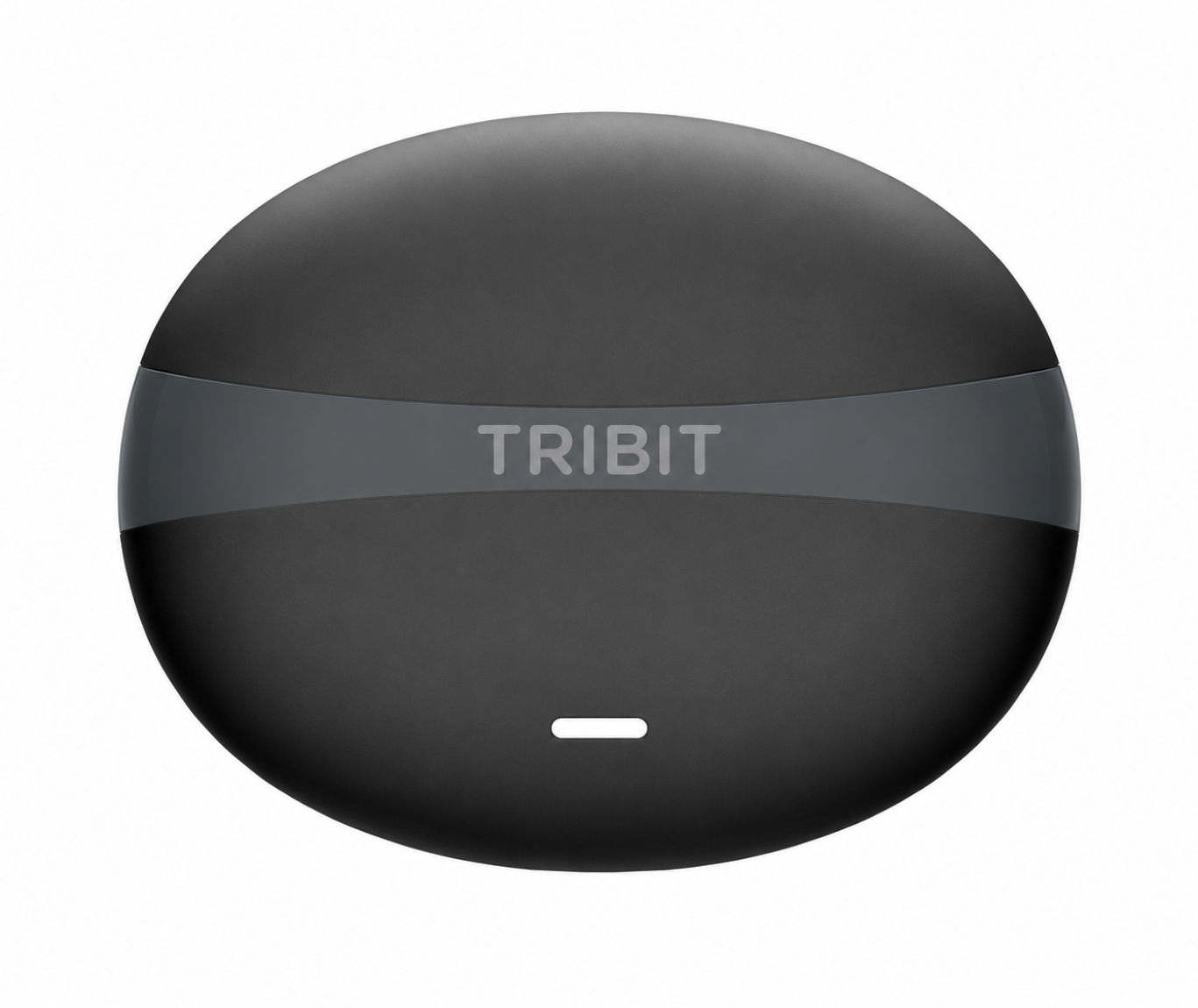
TRIBIT FlyBuds C3

Made for Your Daily Move

25 Aug - 5 Sep, 2026

6 Sep, 2026

7 Sep, 2026

Early Bird

Subscribe to get the exclusive Early-Bird Offer - 30% OFF!

Launch

TRIBIT FlyBuds C3 Earbuds will be available on the official website & Amazon. Get the Early-Bird Discount Code via Email.

Enjoy the Discount

The code is valid from the 7th to the 14th and can be used on the official website /Amazon.

Act Fast! Early Bird Savings Expire in

Every Move Deserves Better Sound.

45dB Hybrid ANC · XBass™ + X3D Audio · Anti-bacterial Tips· 35H battery

Next-gen ANC earbuds built for wherever life takes you — deeper quiet, bolder sound, and a fit made for all-day wear.

Two Colors. One Move.

Day or night. Dark or light. Both are absolute.

Calm Sound On the Go

Up to 45 dB ANC reduces travel and commute noise, so you can stay focused on your audio.

Your Voice, Always Clear

6 Mics with AI noise reduction keep your voice clear in cafés, meetings, and outdoors.

All-Day Music

Up to 35 hours with the case, ideal for travel, calls, and workouts.

Make Every Beat Hit Harder

Enjoy fuller sound with punchy bass and crisp detail—turn on XBass® in the TRIBIT App for extra bass.

Cleaner, Safer Listening

The ear tips are crafted from antibacterial material, reducing 99.9% of bacteria even after 24 hours of continuous wear.

Ultra-Light, All-Day Comfort

Only 4.0 g per earbud - for lasting comfort during long listening sessions.

Easy Pairing

After initial setup, just open the case to connect instantly.

Switch Devices Smoothly

Seamlessly switch between two devices with no re-pairing, so calls and music flow smoothly.

Your Sound, Your Control

Customize your EQ and tune your sound in the TRIBIT App.

Tip: Press and hold the charging case button to factory reset.

Stay in Sync for Gaming

Low-latency game mode reduces audio delay to 55 ms for smoother gameplay.

* Game Mode can be enabled in the TRIBIT App.

Ready to Beat Sweat

IP55 rating protects against sports sweat and splashes for outdoor use.

Comfort That Fits Your Day

Ergonomic design and 3 ear tip sizes deliver a comfortable, secure fit for workouts and outdoor walks.

What's in the Box?

Specifications

Playback Time
|
Normal: 35h / ANC: 22h(At 50% volume with default EQ)
Charging Time
|
Earbuds: 1.5H / Case: 2H
Input Power
|
DC 5V/0.5A (Max)
Powerbank Output
|
DC 5V/0.05A (Max)
Charging Type
|
Type-C
Drop-proof
|
1.2 Meter
Product Weight
|
37.3g
Product Size
|
3.64" × 3.14" × 2.26"
Bluetooth Version
|
6.0
Bluetooth Range
|
10 Meter
Bluetooth Profile
|
HFP/HSP/A2DP/AVRCP
Waterproof and Dustproof
|
IP55
TRIBIT APP
|
Support
Hands-free Call
|
Support

Support & FAQs

What's in the box?

  • 1x StormBox Micro 3 Speaker
  • 1x USB-C to USB-C Charging Cable
  • 1x User Manual

    Note: Wall charger not included.

Does the speaker support AUX input?

No.

Does the speaker support hands-free calling?

Micro 3 has a built-in call microphone and supports hands-free calling and voice assistants.

What Bluetooth codecs does Micro 3 support?

AAC and SBC.

What should I do if I can't find my device via Bluetooth?

1. Please make sure that speaker is within the Bluetooth range of your phone.
2. If you are still unable to find your device, try short-pressing the Bluetooth button on the speaker and re-entering the Bluetooth search interface on your phone.
3. If the above steps don't work, please try resetting the speaker.

Does Micro 3 support pairing with other TRIBIT speakers?

Micro 3 only supports pairing with the same model.

What is TWS (Stereo), and does Micro 3 support it?

TWS stands for True Wireless Stereo, and it allows two identicial speakers to play stereo sound after pairing up. Micro 3 supports TWS.

What’s the difference between TWS (Stereo) and Party mode

In Stereo Mode, two speakers split the audio, with one playing the left channel and the other playing the right.

In Party Mode, both speakers play the same audio simultaneously for a fuller sound experience.

How to switch between TWS (Stereo) and Party mode?

After pairing two speakers, press the TWS button on either speaker to switch.

How can I achieve the full 24-hour battery life?

To achieve 24 hours of battery life, play at 50% volume with default EQ.
Battery life may vary based on volume levels and the type of music.

How long does it take to charge Micro 3?

It takes around 2 hours to charge with a certified 5V/3A (15W) wall charger.

Note: If the charger's power output is lower than 5V/3A, charging time will be longer.

Will the speaker enter power-saving mode when the battery is low?

When the battery falls below 20%, the power output is reduced slightly to maintain battery and system stability.

What are the precautions when charging?

When charging, please keep the charging port and charging cable completely dry.

Will Micro 3 automatically shut down?

Yes, by default, if there is no audio signal input for 15 minutes, the speaker will automatically turn off.
You can also turn off the auto-shutdown in the TRIBIT app.

How do I reset Micro 3?

Turn on Micro 3, then hold down the Volume+ and - buttons for 5-10 seconds. You'll hear a prompt and the speaker will automatically restart.

What should I do if the speaker becomes unresponsive?

Press and hold the power button until the speaker is turned off.

How can I turn prompts on/off?

You can turn off the prompts via the TRIBIT App

How do I update firmware?

Download the TRIBIT App and connect your speakers to perform the firmware upgrade.

Note: If the upgrade fails, please completely close the app in the background on your phone, restart the speaker, and try connecting again after it reconnects.

What is the maximum pole diameter that the speaker strap can be secured to?

To ensure long-term performance, the strap is designed for poles with a diameter of around 30mm.

For poles significantly larger than this, extended use may cause premature wear or deformation of the strap.

What precautions should be taken when using the magnetic attachment feature on speakers?

1. Users with implanted medical devices should consult their physician before using this product.

2. Magnetic attachment is only supported on static metal surfaces. Avoid using magnetic attachment in dynamic scenarios, such as attaching to vehicles, as the product may detach.

Is the product waterproof?

The product is IP68 waterproof, please tuck the rubber cover on the speaker tightly when using it in a watery or humid environment.

What's in the box?

  • 1x StormBox Micro 3 Speaker
  • 1x USB-C to USB-C Charging Cable
  • 1x User Manual

    Note: Wall charger not included.

Does the speaker support AUX input?

No.

Does the speaker support hands-free calling?

Micro 3 has a built-in call microphone and supports hands-free calling and voice assistants.

What Bluetooth codecs does Micro 3 support?

AAC and SBC.

What should I do if I can't find my device via Bluetooth?

1. Please make sure that speaker is within the Bluetooth range of your phone.
2. If you are still unable to find your device, try short-pressing the Bluetooth button on the speaker and re-entering the Bluetooth search interface on your phone.
3. If the above steps don't work, please try resetting the speaker.

Does Micro 3 support pairing with other TRIBIT speakers?

Micro 3 only supports pairing with the same model.

What is TWS (Stereo), and does Micro 3 support it?

TWS stands for True Wireless Stereo, and it allows two identicial speakers to play stereo sound after pairing up. Micro 3 supports TWS.

What’s the difference between TWS (Stereo) and Party mode

In Stereo Mode, two speakers split the audio, with one playing the left channel and the other playing the right.

In Party Mode, both speakers play the same audio simultaneously for a fuller sound experience.

How to switch between TWS (Stereo) and Party mode?

After pairing two speakers, press the TWS button on either speaker to switch.

How can I achieve the full 24-hour battery life?

To achieve 24 hours of battery life, play at 50% volume with default EQ.
Battery life may vary based on volume levels and the type of music.

How long does it take to charge Micro 3?

It takes around 2 hours to charge with a certified 5V/3A (15W) wall charger.

Note: If the charger's power output is lower than 5V/3A, charging time will be longer.

Will the speaker enter power-saving mode when the battery is low?

When the battery falls below 20%, the power output is reduced slightly to maintain battery and system stability.

What are the precautions when charging?

When charging, please keep the charging port and charging cable completely dry.

Will Micro 3 automatically shut down?

Yes, by default, if there is no audio signal input for 15 minutes, the speaker will automatically turn off.
You can also turn off the auto-shutdown in the TRIBIT app.

How do I reset Micro 3?

Turn on Micro 3, then hold down the Volume+ and - buttons for 5-10 seconds. You'll hear a prompt and the speaker will automatically restart.

What should I do if the speaker becomes unresponsive?

Press and hold the power button until the speaker is turned off.

How can I turn prompts on/off?

You can turn off the prompts via the TRIBIT App

How do I update firmware?

Download the TRIBIT App and connect your speakers to perform the firmware upgrade.

Note: If the upgrade fails, please completely close the app in the background on your phone, restart the speaker, and try connecting again after it reconnects.

What is the maximum pole diameter that the speaker strap can be secured to?

To ensure long-term performance, the strap is designed for poles with a diameter of around 30mm.

For poles significantly larger than this, extended use may cause premature wear or deformation of the strap.

What precautions should be taken when using the magnetic attachment feature on speakers?

1. Users with implanted medical devices should consult their physician before using this product.

2. Magnetic attachment is only supported on static metal surfaces. Avoid using magnetic attachment in dynamic scenarios, such as attaching to vehicles, as the product may detach.

Is the product waterproof?

The product is IP68 waterproof, please tuck the rubber cover on the speaker tightly when using it in a watery or humid environment.